Really does things
Open apps and websites, close, minimize and switch windows, click buttons, type text and press shortcuts. You ask, Buddy acts.
opencloseminimizefocusclicktypekeys
 Buddy
Download
an AI buddy that lives next to your mouse
Hold CtrlAltSpace and ask. Buddy flies to the exact button on your screen, explains it in a natural voice, and if you ask it to, clicks, types, opens or closes things for you. It asks first when something is risky.
Windows 10 / 11: the full Buddy, ~151 MB · Mac: Buddy Lite (points & answers), macOS 12+ on Apple Silicon & Intel · no installer, no account · works out of the box with a free brain
Mac, one line in Terminal: curl -fsSL https://juw12.github.io/buddy/mac-install.sh | bash
your turn · no video, the real thing (well, a tiny copy)
Pick something to say, or type your own. Watch how Buddy listens, thinks, points and acts, and how every action lands in the log.
Buddy Buddy asksPress Alt+F4?
how it works
Hold the keys and speak, then let go to send. Tap them instead and a little ask box opens at your mouse. Highlighted text comes along too, so “explain this” just works.
Only when you ask, Buddy takes one look at the screen under your mouse and reads its real buttons, tabs and boxes through Windows UI Automation, the same thing screen readers use.
The orange arrow flies over and snaps onto the actual button, not a rough guess, while Buddy explains out loud in a natural voice.
“Click Insert.” “Minimize Outlook.” “Type hello.” Buddy does it, checks that it's still the right window right before it clicks, and asks first when something is risky.
what's inside
Open apps and websites, close, minimize and switch windows, click buttons, type text and press shortcuts. You ask, Buddy acts.
Office, browsers, Electron apps, even the taskbar. The arrow lands on the real element. In apps that draw their own UI, Buddy uses its best estimate.
Select an error, an email or a formula and ask “what's this?”. Buddy reads the selection through Windows accessibility and never touches your clipboard.
Natural voices that run on your own PC in 7 languages. They start talking while the rest of the answer is still being made.
hear them →Free (works out of the box, no setup), Smart (company AI gateway, ~1–2 s) or Local (private, on your GPU or CPU). No local brain? Buddy uses the free one.
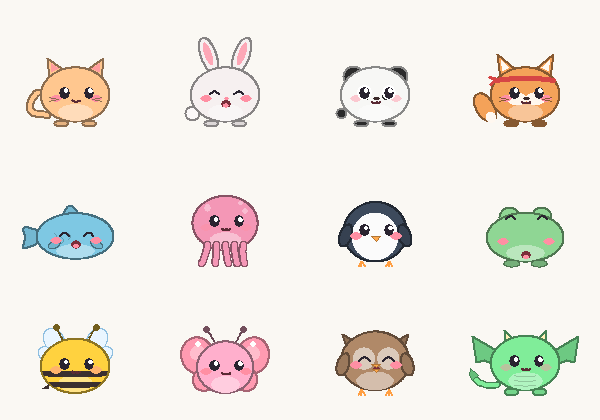
compare →Pips lives on your taskbar, tracks your focus, runs pomodoros and gets cuddly when you pet it with your mouse. 12 species.
KeyIt gives every key and click a satisfying sound. CtrlAltM mutes it for meetings.
Hand Buddy a request from a shortcut or a script:
Buddy.exe --ask "open notepad"
Pick a colour and an icon in Settings → Look. The bubbles and the "Buddy asks" box follow your colour. Try it on the buddy chasing your mouse right now:
The buddy runs on its own thread with its own tiny window, so it sticks to your mouse even while your laptop is busy. After a hiccup it jumps straight back instead of crawling after you.
Measured with a mouse moving ~500 px/s.the part we're proudest of
natural voices · made on your PC
These clips came straight out of Buddy's own voice engine. Nothing was recorded in a studio and nothing was sent to the cloud. When an answer is in Chinese or Hindi, a matching voice reads it automatically.
pick a brain, or don't
Whichever brain you pick, Buddy's voice and its hands stay on your PC. If a cloud brain can't answer, Buddy uses the Local brain for 5 minutes, then tries again. No local brain installed? Buddy starts on the free one.
vs. the other guy
Clicky is a lovely idea and it inspired Buddy. It runs on Windows now too, so here's an honest look at where they differ.
| Buddy | Clicky | |
|---|---|---|
| Price | Free. Unlimited with the Local brain; the no-setup free brain has a shared daily limit | Free plan with 25 talk + 25 agent messages a month. Pro $20, Max $100 a month |
| Account needed | No. Unzip and run | Yes |
| Runs on | Windows 10 / 11, plus Buddy Lite for Mac | Mac and Windows |
| Points at things on screen | Yes, snaps to the real button | Yes, draws on your screen |
| Does things for you | Clicks, types, opens, closes and presses shortcuts in your own apps | Agents that work with Gmail, Notion and more |
| Asks before risky actions | Yes, a Yes/No prompt plus a full action log | Not stated |
| Can run fully on your PC, offline | Yes, with the Local brain, voices and speech | No, cloud only (screenshots aren't stored) |
| Voice | Natural, on-device, 7 languages | Cloud voice |
| Choice of brain | Free cloud (no setup), Smart, Local GPU, Local CPU or your own endpoint | Their cloud models |
| Bonus | Focus pet, pomodoro, key sounds | No |
Clicky details are from heyclicky.com, checked 4 Nov 2026, and may change. Spotted something out of date? Tell us and we'll fix it.
questions
Yes. Download the zip, unzip it anywhere and run Buddy.exe. There's no installer, no account and no Python needed. It answers straight away with a free cloud brain. That brain is shared by everyone, so it has a daily limit. For unlimited, private answers, install Ollama and pick the Local brain.
No. Buddy points by default. It only acts when your own words ask it to, it clicks only when you say click, press or select, and it asks Yes/No before risky things like Alt+F4 or force-closing a frozen app. It never clicks a window's own close or minimize buttons. Every action is written to a log file.
No. It takes a single look at the monitor under your mouse only at the moment you ask. With the Local brain, that look never leaves your PC. With the Smart brain, the screenshot and your question go to your company's internal AI gateway and nowhere else. With the free brain, they go to Cloudflare Workers AI to be answered and aren't stored; the free brain only keeps a count of questions per day.
Windows 10 or 11 (64-bit) and a ~151 MB download. A microphone is optional because you can tap the hotkey and type. The natural voices download once (~120 MB) and then work offline. The free brain needs nothing but internet. The Local brain uses Ollama with a small vision model. On a laptop GPU it answers in about 5–15 s.
Yes, as Buddy Lite for Mac (macOS 12+, Apple Silicon and Intel, one download). Hold ControlOptionSpace and ask, or tap it to type. It looks at the display under your mouse, points at the answer and reads it aloud with Apple's speech recognition and system voices. Lite means pointing and answers only: clicking and typing for you, the desk pet and key sounds are Windows-only for now. It starts on the free brain, so there's nothing to set up. For private answers, use Ollama on the Mac. Easiest install: paste curl -fsSL https://juw12.github.io/buddy/mac-install.sh | bash into Terminal. It puts Buddy in Applications and opens it with no "unidentified developer" warning. If you download the zip instead, right-click Buddy → Open the first time. Mac setup guide.
English (US and UK), Chinese (Mandarin), Spanish, French, Italian, Portuguese (Brazil) and Hindi. If an answer switches to Chinese or Hindi, a voice of the same gender reads that part automatically, and English words inside Chinese still sound like English.
Smart runs on your company's AI gateway, so it needs a company MAAS login. Everyone else gets the free brain out of the box, or the Local brain, which is private and needs no account.
Good enough to be useful, but not as sharp as the big Smart model. On our test desktop (16 "where is…" questions with known answers) its raw guess lands on the right thing 10 times out of 16. Buddy then snaps the arrow onto the real control: on Windows using the buttons Windows knows about, on a Mac using Apple's on-device text recognition. With that it lands 13 out of 16. The misses are cases where it picks the wrong thing entirely, so read the answer too. It allows about 180 questions a day for everyone combined, and a few per minute for each person.
Yes. In Settings → Look, pick one of 10 colours (or any custom colour) and an icon: arrow, mouse pointer, paper plane, dot, star, heart or the Buddy face. It changes straight away, and the speech bubbles and the "Buddy asks" box use your colour too.
Yes. By default it rests next to your mouse (like the one on this page, try the “buddy: on” switch up top). In Settings, untick Keep Buddy next to my mouse all the time and it only shows up when you ask.
Your computer just got a friend, and it's free.
Download Buddy for WindowsBuddy-win64.zip · ~151 MB · unzip & run · On a Mac? Get Buddy Lite for Mac
Tried it? Tell us how it went. It takes a minute and really helps.