Evidence, not guesses
Every AI leaves traces. Retrace reads them.
Find the AI, prompt, model, tools and settings behind an image, a text, a website or a chatbot API.
Python 3.10+ · standard library only · MIT · free · no account
Exhibit 01 · recorded demo · text
- finding
- OpenAI ChatGPT
- confidence
- high
- signal
- ChatGPT web-search link tag (utm_source=chatgpt.com)
- excerpt
- …britannica.com/
topic/ Eiffel- Tower? utm_source= chatgpt.com) … I hope this helps! - AI-likelihood
- 38/100
TRACED
What it examines
Five kinds of evidence
| 01 | ImagePNG, JPEG, WebP | Generator (A1111/Forge, ComfyUI, NovelAI, InvokeAI, Fooocus, Midjourney, ChatGPT/DALL·E, Firefly, Gemini…), the exact prompt and negative prompt, seed, steps, sampler, model, LoRAs, C2PA Content Credentials. |
| 02 | Textpasted text | Which chatbot wrote it: ChatGPT citation tokens, utm_source=chatgpt.com, self-ID, think tags, style markers, hidden Unicode payloads, a heuristic AI-likelihood. |
| 03 | Websiteany URL | AI chat widgets and agents, AI APIs called from the browser, AI site builders, llms.txt, AI-crawler rules in robots.txt, A2A agent cards with skills. |
| 04 | App namee.g. “claude code” | Leaked system prompts, tool definitions and skills from public GitHub collections. |
| 05 | EndpointOpenAI-compatible API | Fingerprints the model behind it, lists its tools and measures how much of your system prompt leaks. |
Exhibit 02 · the app
A result, with the reason next to it
Every finding shows the signal that produced it, so you can check it yourself. Print or save any result as a one-page report with the date and URL. It is evidence, not a verdict.
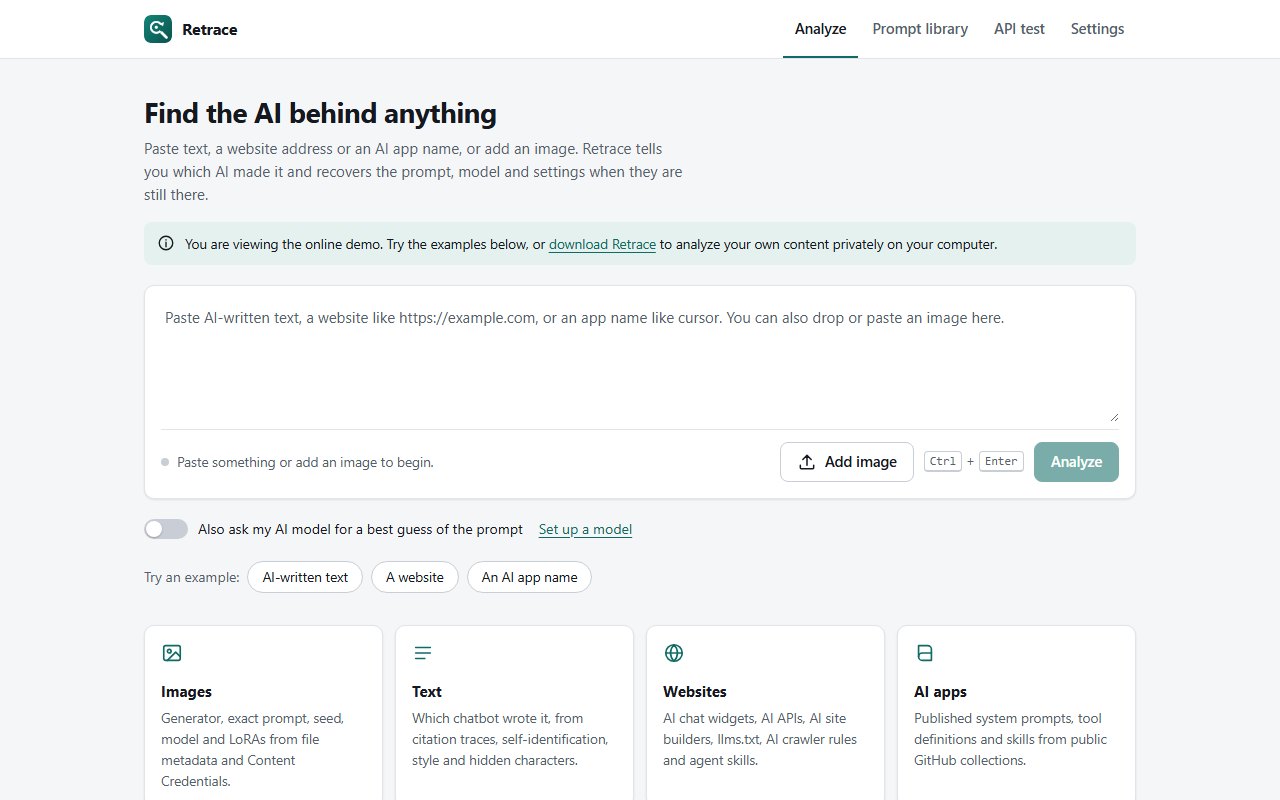
Run it yourself
On your own machine
A local desktop app. Python 3.10+ standard library only: no installs, no account, and nothing leaves your PC except the lookups you ask for.
The web demo replays three recorded examples. The full app runs locally.
$ git clone https://github.com/juw12/retrace && cd retrace
$ python app.py # opens Retrace in its own window
$ python app.py --install # Windows: add it to the Start menu
$ python app.py --browser # or use a normal browser tab
Limits
What it cannot prove
- Exact prompts only survive if the file kept its metadata. Screenshots and re-uploads strip it.
- AI-text detection is probabilistic and easy to fool.
- Website scans see client-side code only; server-side AI is invisible.
- Library search uses the GitHub API: 60 requests an hour without a token, cached 24 hours.
- Probe only APIs you own or are authorised to test.
Check something yourself.
The web demo needs nothing installed.