
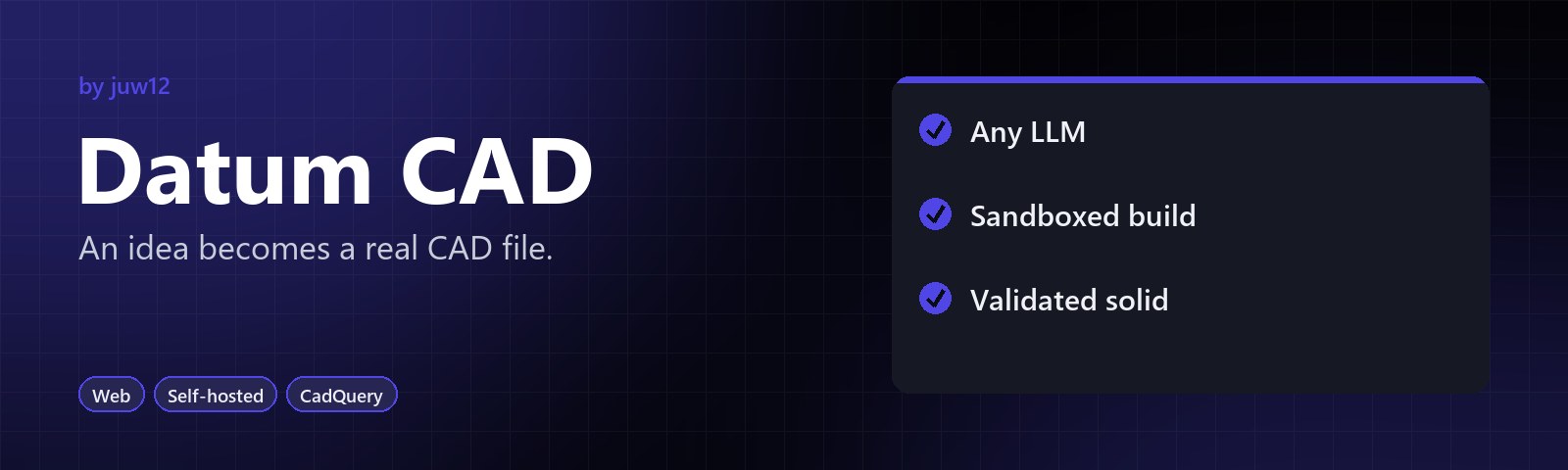
An idea becomes a real CAD file.
A PRD plus six reference photos becomes a validated STEP solid, with an STL preview.


|
Any LLM OpenAI, Anthropic, Gemini, Pegatron MAAS or a free local model writes the CadQuery program. |
Sandboxed build The program runs in a sandbox to produce the STEP. |
Validated solid The server re-imports the STEP to check the solid. |
About
PRD + 6 reference photos → a validated STEP solid, plus an STL preview.
Describe the part in a PRD, add a reference photo of each face, and get back a real,
validated STEP (.stp) solid you can open in Creo, SolidWorks or Fusion — not a render,
not a mesh. An LLM (any provider — Pegatron MAAS, OpenAI, Anthropic, Gemini, or a free
local model on your own machine) drafts a CadQuery program; the server builds it in a
sandbox and re-imports the STEP to confirm it is a valid solid before you ever see it.
Live demo · Gallery · Interface spec
Datum CAD — the flagship app of Datum, a workbench for mechanical and hardware engineers.
Built by a working R&D engineer who wanted CAD to keep up with his ideas.Lives at
apps/me-rd-toolkit/photo2cad/(folder name kept for now) and appears in the R&D Apps
section of Datum Bench (the free companion, formerly the ME R&D Toolkit). Unlike the toolkit's
other parts, this one is not stdlib-only — producing genuine STEP requires a BREP kernel
(cadquery/OCP).
What it does
PRD text + 6 photos
        │
        ▼  (MAAS LLM, vision-assisted)
  CadQuery program  (parametric, mm)
        │
        ▼  (sandboxed subprocess, AST-guarded, timeout)
   model.stp  +  model.stl
        │
        ▼  (re-import + solid/bbox/volume checks)
  validated STEP  →  download  +  browser 3D preview
What's hard about this (why it isn't a weekend demo)
A render or an .stl blob is easy. A validated solid is not:
- Validated output, not eyeballed. The server re-imports the generated STEP and checks it
as a solid (valid bounding box and volume) before returning it. If it can't be built, you get
a clear error — not a pretty lie. - Untrusted code, contained. The model's CadQuery program is AST-guarded (imports
allow-listed, dangerous calls blocked) and run in a child process with a hard timeout. - Parametric and manufacturable. Output is a BREP solid in millimetres; Creo imports STEP
natively, so.stpis the interchange deliverable — not a mesh you have to repair. - Credible authorship. Built by a working mechanical / aerospace R&D engineer, not a
prompt wrapper.
Honest constraints (read this)
- Output is
.stp(STEP). Creo.prtis proprietary and is NOT produced — Creo
imports STEP natively, so.stpis the interchange deliverable. - Photos are visual reference / dimension assist, not exact geometry. The PRD drives the
parametric geometry. This is not a "read the exact shape off six photos" system. - Generated CAD code is untrusted: it is AST-guarded (imports allow-listed, dangerous calls
blocked) and run in a child process with a hard timeout. Treat it as untrusted.
Layout
apps/me-rd-toolkit/photo2cad/
  web/        static front-end (6 slots + PRD + three.js preview + downloads)
  server/     stdlib HTTP server; provider-agnostic LLM client (llm.py); cadgen; sandbox; validate; pipeline
  tests/      hermetic stdlib tests (run with the cadquery venv)
  docs/       interface contract (photo2cad-spec.md)
  start.ps1   local launcher (reads the MAAS key from the OpenCode config)
  Dockerfile  Python 3.12 + cadquery (deploy target)
Run locally
The repo has a venv with cadquery at the monorepo root: .venv3d.
# from the repo root
& ".\.venv3d\Scripts\python.exe" apps\me-rd-toolkit\photo2cad\server\server.py --port 8000
# then open http://127.0.0.1:8000
Set the LLM (otherwise generate returns a clear stage: "llm" error). Any provider
works — see Bring your own model below:
# example: Pegatron MAAS (the legacy default provider)
$env:LLM_PROVIDER = "maas"
$env:LLM_API_KEY  = "<token>"
$env:LLM_BASE_URL = "https://aicc-gateway.pegatroncorp.com/maas/api/v1/llm/v1"
$env:LLM_MODEL    = "gpt-4o"
# offline UI smoke test (no network, canned program):
$env:PHOTO2CAD_FAKE_LLM = "1"
Bring your own model
Photo2CAD is not tied to MAAS. Pick a provider with LLM_PROVIDER and a key (only when
it needs one); every other field has a sensible default.
# free + local, no key, nothing leaves your machine (needs Ollama running):
$env:LLM_PROVIDER = "ollama"          # default model qwen2.5:7b

# paid APIs:
$env:LLM_PROVIDER = "openai";     $env:LLM_API_KEY = "sk-..."
$env:LLM_PROVIDER = "anthropic";  $env:LLM_API_KEY = "sk-ant-..."
$env:LLM_PROVIDER = "gemini";     $env:LLM_API_KEY = "..."
$env:LLM_PROVIDER = "openrouter"; $env:LLM_API_KEY = "sk-or-..."
$env:LLM_PROVIDER = "groq";       $env:LLM_API_KEY = "gsk_..."

# anything OpenAI-compatible (LM Studio, vLLM, a proxy …):
$env:LLM_PROVIDER = "custom"
$env:LLM_BASE_URL = "http://127.0.0.1:1234/v1"
$env:LLM_MODEL    = "your-model"
Providers: maas, openai, anthropic, gemini, openrouter, groq, deepseek,
together, ollama, lmstudio, custom. The generic LLM_* variables fall back to the
legacy MAAS_* names, so existing setups keep working unchanged.
Tests
python apps\me-rd-toolkit\photo2cad\tests\test_llm.py            # provider resolution + adapters (no cadquery needed)
& ".\.venv3d\Scripts\python.exe" apps\me-rd-toolkit\photo2cad\tests\test_sandbox.py
& ".\.venv3d\Scripts\python.exe" apps\me-rd-toolkit\photo2cad\tests\verify_api.py
& ".\.venv3d\Scripts\python.exe" apps\me-rd-toolkit\photo2cad\tests\test_repair.py
Both are hermetic (free port, PHOTO2CAD_FAKE_LLM=1, temporary/ignored artifact dir) and exit
0/1. They must be run with a Python that has cadquery (the .venv3d interpreter).
API
| Method | Path | Purpose |
|---|---|---|
GET |
/api/health |
{ok, llm_configured, provider, model} |
POST |
/api/generate |
JSON {prd, units, use_vision, model, images:{front,...,bottom}} → {ok, job_id, step_url, stl_url, report, program, logs} |
GET |
/api/artifacts/<job_id>/<file> |
model.stp, model.stl, program.py, report.json |
Images are data URLs (FileReader.readAsDataURL). Full contract: docs/photo2cad-spec.md.
Environment variables
| Var | Default | Purpose |
|---|---|---|
LLM_PROVIDER |
inferred (maas) |
maas, openai, anthropic, gemini, openrouter, groq, deepseek, together, ollama, lmstudio, custom |
LLM_API_KEY |
— | key for the chosen provider (not needed for ollama / lmstudio) |
LLM_BASE_URL |
provider default | override the API base URL |
LLM_MODEL |
provider default | override the model id |
MAAS_API_KEY / GATEWAY_API_KEY |
— | legacy fallback for LLM_API_KEY (implies provider maas) |
MAAS_LLM_BASE_URL / MAAS_LLM_MODEL |
MAAS gateway / gpt-4o |
legacy fallback for LLM_BASE_URL / LLM_MODEL |
PHOTO2CAD_FAKE_LLM |
0 |
1 → canned program, no network |
PHOTO2CAD_SANDBOX_TIMEOUT |
120 |
child process timeout (s) |
PHOTO2CAD_ARTIFACTS |
apps/me-rd-toolkit/photo2cad/.artifacts |
artifact root |
PHOTO2CAD_DEMO |
0 |
1 → public-demo mode; turns on the three limits below with safe defaults |
PHOTO2CAD_RATE_LIMIT_PER_IP |
3 in demo |
max generations per IP per day (0 = unlimited) |
PHOTO2CAD_RATE_LIMIT_GLOBAL |
200 in demo |
max generations for everyone per day (0 = unlimited) |
PHOTO2CAD_MAX_CONCURRENT |
2 in demo |
max generations building at once (0 = unlimited) |
PHOTO2CAD_DISABLE_GENERATE |
0 |
1 → kill switch: pause all generation (returns 503) |
Deploy (Kubernetes via aicc-deploy-agent)
Single component, Dockerfile at this app root, container port 8000.
- Use memory ≥ 1Gi — the OCCT kernel is memory-heavy; the
256Midefault is too small. - Pass the LLM settings as
env_varsat deploy time (LLM_PROVIDER+LLM_API_KEY/LLM_BASE_URL/LLM_MODEL; the legacyMAAS_*names still work). - For
maas, confirm the cluster can reach the MAAS gateway (it is an internal host). For any other provider, it is a normal public endpoint.
Public demo (one click)
render.yaml deploys the same image as a clickable demo: free-tier Gemini Flash (vision) as
the shared provider, rate-limited and with a kill switch, so a stranger can generate a STEP
without installing anything or bringing a key.
- Provider:
LLM_PROVIDER=gemini,LLM_MODEL=gemini-2.0-flash; setLLM_API_KEYin the host dashboard. - Safety:
PHOTO2CAD_DEMO=1turns on the limits (default 3/IP/day, 200/day global, 2 at once). - Use a plan with ≥ 1 GiB RAM — the OCCT kernel is memory-heavy (the free 512 MB tier is too small).
- Panic button: set
PHOTO2CAD_DISABLE_GENERATE=1and redeploy to pause all generation (503). - Health/stats:
GET /api/healthandGET /api/stats(counts only — no personal data). - Artifacts are ephemeral on the demo host; each resource is generated for download on the spot.
License
See the repository LICENSE.