
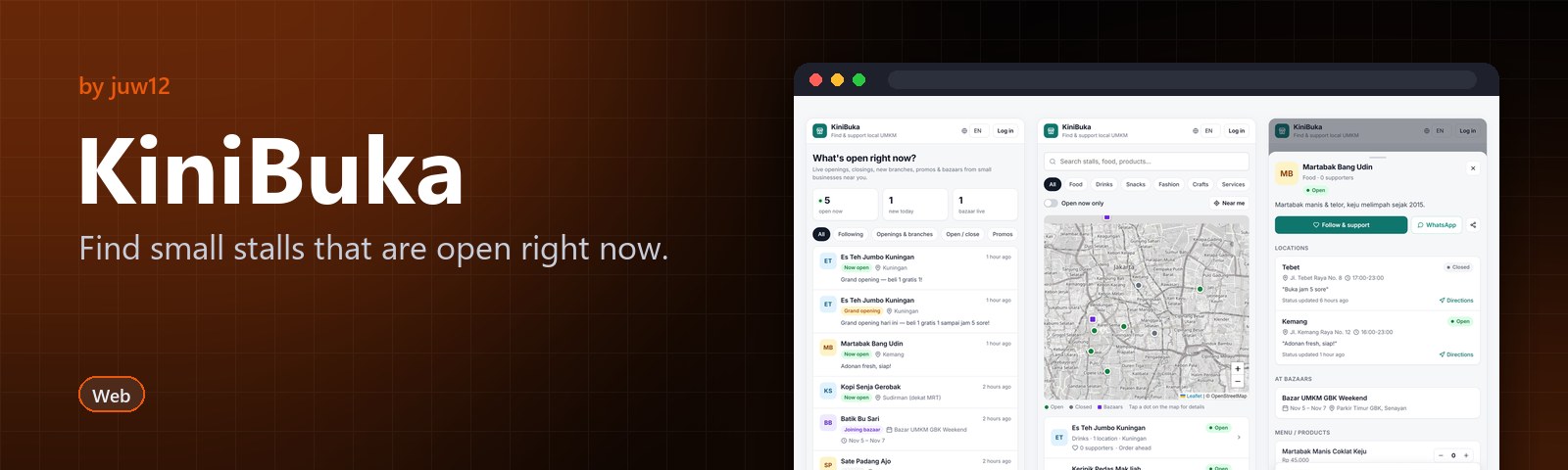
Find small stalls that are open right now.
A live feed of Indonesian UMKM openings, closings, promos and bazaars.
See it in action · Highlights · More by juw12


|
Live open status See which stalls are open now on a feed and a searchable map. |
Follow alerts Follow your favourites and hear when they open or post a promo. |
Order ahead A one-tap WhatsApp handoff to the seller. |
See it in action
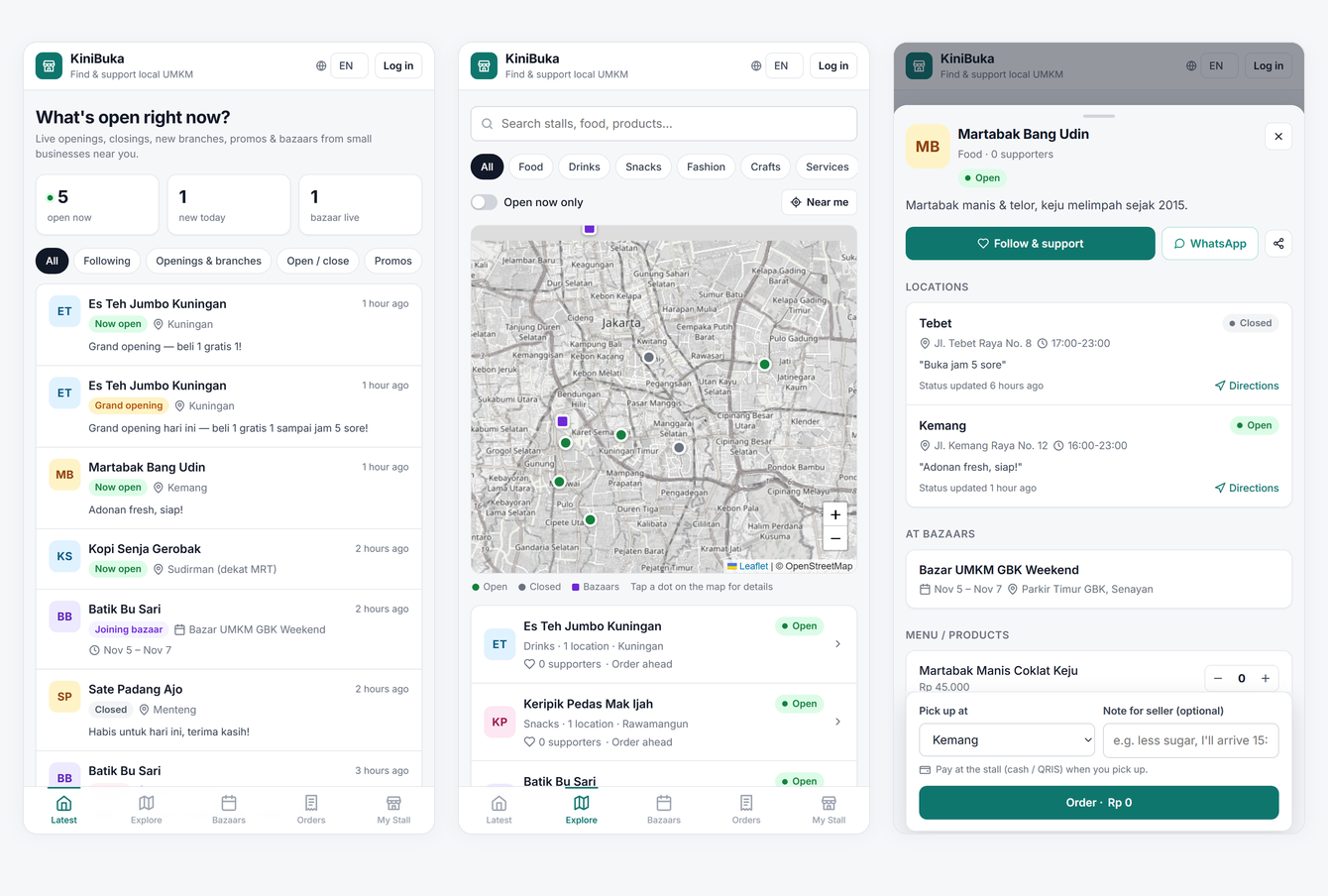
KiniBuka in use
About
Kini buka means "open now". KiniBuka helps people find small Indonesian food and retail stalls (UMKM) that are open right now, follow the ones they like, and order ahead.

Features
For buyers
- Latest feed: live list of stalls opening and closing, new branches, promos and bazaars
- Explore: search, category filters and an OpenStreetMap map of stalls that are open now
- 3D market: switch Explore from Map to 3D and walk a street of the stalls in your current search. Tap the ground to walk, tap a stall to go to it, drag to look around, pinch or scroll to zoom. Open stalls are lit and stocked, closed ones are shuttered
- Every stall shows its menu on a chalkboard, and the card under the view lists the whole menu with prices (tap an item to order)
- Live and upcoming bazaars stand as purple tents at the end of the street, with their dates and the stalls taking part
- Any number of stalls: only the rows near you are built, and far stalls make your avatar jog
- Your spot is kept when you switch language, leave Explore or reload; standing between two stalls offers both
- Follow: get alerts when a followed stall opens, posts a promo or joins a bazaar
- Order ahead: pick items and a pickup time, then track the order as the seller accepts (or rejects) it, marks it ready and completes it
- WhatsApp: one-tap buttons to chat with the seller or send the order details
- Deep links:
#stall/<id>opens a stall,#3dopens the 3D market, and?lang=ensets the language
For sellers
- Sign up with a password, verify the WhatsApp number, and the stall goes live once the market admin approves it (with an end date)
- Toggle open or closed in one tap, per branch
- Manage branches, menu, promos and bazaar appearances
- See incoming orders and update their status
- Optional automatic WhatsApp notifications (see below)
Languages: Bahasa Indonesia (default), English and 中文. Each user's choice is remembered.
Run it
Python 3 with the standard library only. No packages to install.
run.bat                 (Windows: starts the server and opens the browser)
python server.py        (any OS; then open http://localhost:8000)
python server.py --open (also opens the browser)
If port 8000 is busy, the server picks the next free port and prints it. Set PORT to choose one yourself. Data is stored in kinibuka.db (SQLite) next to server.py (KINIBUKA_DB picks another file), and demo data is seeded into an empty database unless SEED_DEMO=0.
Demo logins (all use the password demo1234; the login sheet has one-tap buttons):
| Role | Phone |
|---|---|
| Seller | 081111111111 |
| Buyer | 081333333333 |
| Admin | 080000000000 |
| New seller waiting for approval | 081444444444 |
Accounts, stalls and the admin
- Everyone signs up with name, WhatsApp number and a password (at least 8 characters). Passwords are stored as PBKDF2-SHA256 hashes; 10 wrong tries for one number in 15 minutes blocks that number for a while. Changing the password (Account) logs out other phones. Accounts from the old phone-only login are claimed by signing up once with the same number.
- Sellers open My Stall, create the stall, then add locations, menu and posts. A new stall is pending: only the seller and the admin can see it. A banner tells the seller the state (waiting, live until a date, ended, rejected or paused, with the admin's note).
- The admin logs in with user
adminand passwordadmin(built in, no phone number needed). Change that password in Account right after the first login - the Admin tab shows a red warning until you do. Extra admins can be added withADMIN_PHONES(comma-separated WhatsApp numbers). The Admin tab shows the slots used out of the market capacity, every stall with its owner, and buttons to approve (with a "show until" date), extend, reject or pause. Approving needs a free slot and a verified owner number. When the date passes the stall hides itself from customers (map, list, 3D market, feed, bazaars, orders) until the admin extends it. Capacity (default 50), the default slot length (30 days) and the market WhatsApp number are set in the same tab. The admin can also set a temporary password for a seller who forgot theirs.
Stopping fake sellers
- WhatsApp number check. A stall cannot be approved until the owner's number is verified.
- Free (default): the seller's dashboard shows a 6-digit code and a button that opens WhatsApp with the code addressed to the market number (set it in Admin settings). WhatsApp shows the real sender, so the admin compares the code and the number with the stall card and presses Number verified. A fake number cannot send that message.
- Automatic: with a WhatsApp gateway (
WA_PROVIDER, see below) the server sends the code to the seller's number and the seller types it back; nobody has to check by hand. Codes expire after 10 minutes, a new one can be asked every 60 seconds (5 per hour), and wrong guesses are rate-limited.
- Admin approval - nothing is public before the admin approves it.
- At most 3 pending stalls per account, so one account cannot flood the review list.
- Sign-ups per connection: at most
SIGNUPS_PER_HOURnew accounts per internet address per hour (default 10; behind the Cloudflare tunnel the real visitor address is used). - SMS codes are not used: they cost money per message and WhatsApp is what sellers already use.
Put it online (Cloudflare Tunnel from this PC)
- Get cloudflared once:
winget install --id Cloudflare.cloudflared, or (no admin rights) downloadcloudflared-windows-amd64.exefrom the cloudflared releases and save it astools/cloudflared.exein this folder. - Double-click
online.bat. It starts the server with no demo data and a separate databasedata/kinibuka-live.db, then prints anhttps://<random>.trycloudflare.comaddress (also written todata/tunnel.log). - Open that address, log in with
admin/admin, change the password (Account), put the market WhatsApp number in Admin settings, and share the address with sellers and customers.
Things to know:
- The PC must stay on and
online.batmust stay open; closing it takes the market offline. - The quick-tunnel address changes every time you start it. For a permanent address you need a free Cloudflare account and a domain on Cloudflare:
cloudflared tunnel login,cloudflared tunnel create kinibuka,cloudflared tunnel route dns kinibuka market.yourdomain.com, then runcloudflared tunnel run --url http://localhost:8765 kinibukainstead of the quick tunnel. (Apages.devaddress cannot point to a tunnel.) online.batuses port 8765; if that port is taken the server moves to the next one and the tunnel will not reach it, so close whatever uses 8765.- Back up
data/kinibuka-live.dbregularly (copy the file while the server is stopped). - On an office or company network, check that running a public tunnel is allowed before you do it.
WhatsApp auto-notifications (optional)
Without configuration, WhatsApp works through wa.me links that the user taps, and seller numbers are checked by the admin (see Stopping fake sellers). To have the server send messages and verification codes automatically, set one of the following (both are paid services):
| Provider | Environment variables |
|---|---|
| Fonnte | WA_PROVIDER=fonnte, FONNTE_TOKEN |
| Meta WhatsApp Cloud API | WA_PROVIDER=meta, WA_TOKEN, WA_PHONE_NUMBER_ID, optional WA_TEMPLATE and WA_TEMPLATE_LANG (default id) |
APP_NAME changes the displayed brand name (default KiniBuka).
Prototype limits
- Login is phone + password. Seller numbers are checked over WhatsApp before a stall can be approved, but buyer numbers are not verified. Without a WhatsApp gateway the check is manual (the admin compares the code and the sender). There is no self-service password reset (the admin sets a temporary one).
- No online payments: buyers pay at the stall (cash or QRIS) on pickup.
- Single-process server with SQLite. It is fine for a demo or one neighbourhood, but not for production scale.
- Map tiles come from the public OpenStreetMap tile server, which is meant for light use only.
- The 3D market needs WebGL; without it the app falls back to the map with a short message.
Files
server.py: HTTP server, JSON API, SQLite schema and demo seed datastatic/index.html: the whole web app (no build step)static/i18n.js: ID / EN / 中文 stringsstatic/world.js: the walkable 3D market (loaded only when the 3D view is opened)static/vendor/: three.js r160 (MIT), vendored so the 3D view works without a CDNrun.bat: Windows launcher (demo data, this PC and the local Wi-Fi)online.bat: real market on the internet through a Cloudflare quick tunnel (no demo data, own database)