
Send push from your own server. Prove it works on a real phone.
Beacon is a self-hosted push server, and Tether puts your Android phone in the browser with QA flows.
See it in action · Highlights · More by juw12


|
Every push channel Web Push, FCM, ntfy and Gotify from one self-hosted server. |
Real-device proof Tether mirrors your Android phone in the browser and runs QA flows on it. |
Zero dependencies Plain Python, backed by a hermetic test suite. |
See it in action
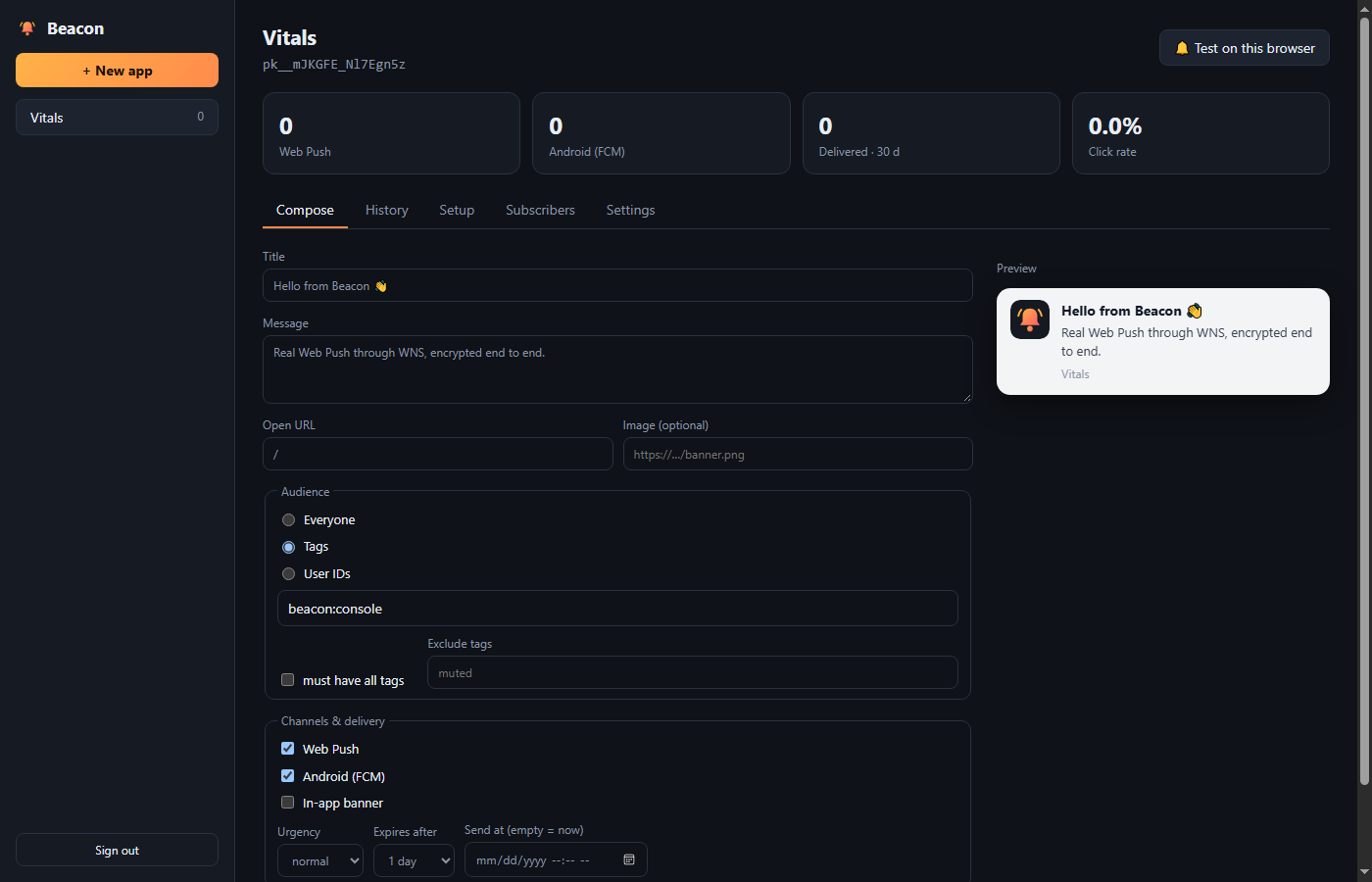
Push Lab in use
About
Send push notifications from your own server, and prove they work on a real phone. One self-hosted,
zero-dependency toolkit (Python standard library only), free. Status: work in progress.
Push Lab has two built-in parts that start together and are already linked:
| Part | Folder | What it does |
|---|---|---|
| Beacon — the push server | beacon/ |
Your own push service (like OneSignal). Web Push for every PWA, FCM for Android, in-app banners, ntfy / Bark (iPhone) / Gotify / Apprise channels, targeting, scheduling, digests, multi-step escalation, templates, per-user categories & preferences, Gatus uptime alerts, a console and MCP. |
| Tether — the device lab | tether/ |
Your Android phone in the browser. Live HD screen, record and replay QA flows (Maestro / Midscene YAML), one flow on every connected phone at once, notification checks, AI steps (incl. Google ARTEMIS), performance budgets (startup, jank, memory, CPU), Perfetto traces, LeakCanary leak checks, CI and MCP. |
| Agent skills | plugin/ |
Claude Code / Codex skills + CLI that drive both parts. |
apps/pushlab/
  pushlab.py, start-push-lab.bat   one command starts Beacon + Tether, linked and signed in
  beacon/                          push server   (server/, web/, tests/, docs/, examples/)
  tether/                          device lab    (server/, web/, tests/, examples/)
  plugin/                          agent skills + pushlab_cli.py
  tests/                           end-to-end test of the skills against both parts
Each part can also run on its own (python apps/pushlab/beacon/server/server.py,
python apps/pushlab/tether/server/server.py); their own READMEs have the details.
Start (2 minutes)
- Double-click
start-push-lab.bat(or runpython apps/pushlab/pushlab.py). The Beacon console and Tether open in your browser, already signed in. - In Tether, click Install it for me if it asks for adb. That's a one-time ~7 MB download from Google.
- Connect a phone. Either plug it in with USB debugging on, or click 📶 Wi-Fi (Android 11+, no cable).
- In Tether, go to the Push tab and click 📲 Connect this phone to Beacon. Tether opens Beacon on the phone and taps Enable and Allow for you.
- Click Send now, or + full push QA steps, then Run.
There's no HTTPS or deployment needed for testing. Tether forwards your local Beacon to the phone as localhost (adb reverse), and browsers treat that as secure.
Ship it to real users
Deploy Beacon on HTTPS. It takes about 10 minutes with a Cloudflare Tunnel or Docker + Caddy: see beacon/docs/DEPLOY.md. Then add two lines to any of your apps (see the console's Setup tab). Keep Tether pointed at the deployed Beacon to test production pushes on your phone.
Agent skills (Claude Code, Codex, any SKILL.md agent)
plugin/ packages three Agent Skills with a zero-dependency
CLI (scripts/pushlab_cli.py) that finds this lab's keys by itself:
| Skill | For |
|---|---|
tether-android-qa |
look → act → verify on a phone, Maestro/Tether flows, logcat, perf budgets, screen recording |
beacon-push |
send pushes, digest bursts, fallback to ntfy/Bark/Gotify/Apprise, delivery stats |
push-qa-e2e |
send via Beacon → assert it shows on the phone → tap → verify, with video evidence |
# Claude Code
/plugin marketplace add juw12/projects
/plugin install push-lab@juw12-projects

# other agents: copy apps/pushlab/plugin/skills/* into the agent's skills folder
# (e.g. ~/.codex/skills/ or .claude/skills/), or use `npx skills add juw12/projects`
The marketplace file is /.claude-plugin/marketplace.json. Tether's MCP
server additionally speaks mobile-mcp's tool names, so mobile-mcp
prompts work against it too.
Built on open source
| Project | Used for |
|---|---|
| scrcpy (Apache-2.0) | Tether HD: 30 fps H.264 + instant input |
| Maestro (Apache-2.0) | Tether imports/exports Maestro YAML flows |
| cloudflared (Apache-2.0) | Beacon "Go live": public HTTPS in one click |
| ntfy (Apache-2.0) | Beacon channel: ntfy app topics |
| Apprise (BSD-2) | Beacon channel: Telegram/Slack/Discord/email… |
| Bark (MIT) | Beacon channel: native iPhone pushes (bark-server API v2) |
| Gotify (MIT) | Beacon channel: self-hosted push server + Android app |
| Gatus (Apache-2.0) | uptime checks → Beacon alerts via /v1/hooks/gatus |
| SoloPi (Apache-2.0) | metric set for Tether's perf tools (startup, memory, jank, CPU) |
| Perfetto (Apache-2.0) | Tether system traces (perf_trace_start/stop), opened in ui.perfetto.dev |
| LeakCanary (Apache-2.0) | memory-leak results Tether reads from logcat (assert_no_leaks) — your debug build includes it |
| Midscene.js (MIT) | Tether imports its YAML scripts (aiAct, aiTap, aiAssert, aiWaitFor …) |
| STF (Apache-2.0) / lamda | the device-farm idea behind --all / /api/flow/run-all (one flow, every phone, in parallel) |
| Novu (MIT) | the ideas behind Beacon's categories + preferences, templates and multi-step workflows (re-implemented, no Novu code) |
| android-emulator-runner (Apache-2.0) | CI template |
| mobile-mcp (Apache-2.0) | tool names/arguments Tether's MCP server is compatible with |
| Agent Skills format | the plugin/ skills pack |
| Ollama (MIT) or any OpenAI-compatible server | optional Tether AI steps |
| ARTEMIS (Apache-2.0) | optional engine for Tether AI steps (Flash/Pro agents); its "explore, then write deterministic tests" mindset in the QA skill |
All are optional downloads or optional pip installs — Beacon and Tether stay zero-dependency Python.
What's verified
- Automated (all hermetic, no phone needed): 801 checks — Beacon 72 API + 40 channels + 36 Bark/Gotify + 28 Gatus hook + 22 tunnel
- 25 crypto + 23 workflows + 63 categories/preferences/templates/multi-step; Tether 65 API + 30 Beacon link
- 62 Maestro + 36 HD (+7 in headless Edge: WebCodecs decode, clicks, WebM and MP4 recording)
- 52 mobile-mcp/recording/clipboard + 26 AI steps + 18 ARTEMIS engine + 39 perf + 124 Perfetto/LeakCanary/
multi-device/Midscene; Push Lab plugin 33 (manifests, SKILL.md and the CLI end to end against real Beacon + Tether).
- Live on this PC:
- Push: real pushes went through Microsoft's push service to Edge and appeared on screen, sent from Tether and delivered by Beacon. ntfy.sh publish and Apprise 2.1.0 worked through the corporate proxy.
- adb: the one-click adb install worked through a corporate proxy.
- Not yet verified: a physical Android phone (none was attached) — so HD, screen recording, clipboard,
AI steps (built-in and ARTEMIS), Perfetto traces, LeakCanary output and multi-device runs ran only against the fake
adb/scrcpy device (with canned perfetto/LeakCanary output), a fake model server and a fake ARTEMIS daemon; Midscene
scripts were converted and run without a real model; FCM against a real Firebase project; the plugin installed
into a real Claude Code / Codex session.