
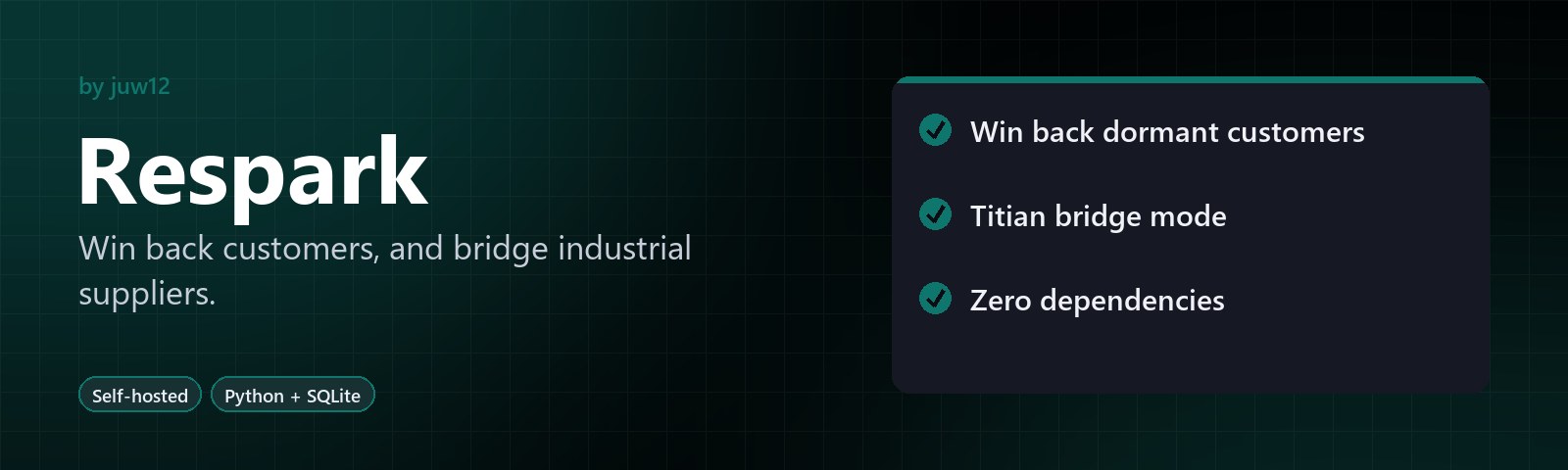
Win back customers, and bridge industrial suppliers.
Customer reactivation for local service businesses, plus Titian: a broker-run B2B bridge for manufacturers in Southeast Asia.




|
Win back dormant customers Finds customers who stopped coming and re-engages them. |
Titian bridge mode B2B showcase portals with an interactive 3D catalog, RFQ basket and supplier portal. |
Zero dependencies Python standard library and SQLite, with a test suite. |
About
Zero-dependency Python stdlib + SQLite. Re-engages dormant customers for local service businesses.
What it does
Local service businesses (dentists, plumbers, salons, trainers, mechanics, real-estate agents, restaurants) sign up, upload a CSV of past customers, and the system automatically sends them a 5-message reactivation campaign over 30 days (3 emails + 2 SMS). The operator (you) charges clients for setup + monthly retainer.
What's in the box
respark/
├── server/
│   └── server.py              # All backend: auth, DB, SMTP, scheduler, API, Stripe, outreach
├── web/
│   ├── index.html             # Landing + signup + login
│   ├── app.html               # Client dashboard (campaigns, billing)
│   ├── outreach.html          # Operator dashboard (lead pipeline)
│   ├── style.css              # Shared styles
│   └── app.js                 # Dashboard logic
├── tests/
│   └── verify.py              # Hermetic end-to-end verification (43 checks)
├── docs/
│   ├── sales-playbook.md      # Cold emails + call scripts
│   ├── first-week.md          # 7-day action plan
│   ├── setup-checklist.md     # 5 manual steps
│   ├── deploy-no-domain.md    # cloudflared / Render / Fly.io paths
│   └── ship-checklist.md      # 14-day plan to first client
├── prospects.csv              # 8 example prospects, Austin/Houston
├── Dockerfile                 # python:3.12-slim
├── docker-compose.yml         # One-command deploy
├── nginx.conf                 # Reverse proxy + SSL
├── respark.service            # systemd unit
├── fly.toml                   # Fly.io config
├── Procfile                   # Heroku-style
├── render.yaml                # Render blueprint (one-click)
├── deploy.sh                  # One-shot Ubuntu deploy
├── start.bat                  # Windows local launcher
├── start-with-tunnel.ps1      # Windows + cloudflared/ngrok tunnel
├── .env.example               # Environment variables reference
├── README.md                  # You are here
└── logs/
    ├── app.log                # Server log
    └── outbox.log             # All sent emails (or attempted sends)
Run it
cd respark
python server/server.py
# → http://localhost:8000
Test it (43 checks, all green):
RESPARK_SECRET=test python tests/verify.pyRequired environment variables (production)
Copy .env.example to .env and fill in:
| Var | Required? | Purpose |
|---|---|---|
RESPARK_SECRET |
YES | Random 32+ char string for session signing. |
RESPARK_BASE_URL |
YES | Public URL. Used in unsubscribe links and tracking pixels. |
RESPARK_SMTP_HOST |
for real email | SMTP server hostname |
RESPARK_SMTP_PORT |
for real email | Usually 587 |
RESPARK_SMTP_USER |
for real email | SMTP username |
RESPARK_SMTP_PASS |
for real email | SMTP password |
RESPARK_SMTP_FROM |
for real email | Sender name + email |
RESPARK_STRIPE_SECRET_KEY |
for real payments | Stripe secret key |
RESPARK_STRIPE_PUBLISHABLE_KEY |
for real payments | Stripe publishable key |
RESPARK_STRIPE_WEBHOOK_SECRET |
for real payments | Webhook signing secret |
RESPARK_STRIPE_PRICE_STARTER |
optional | Stripe Price ID for $497 setup |
RESPARK_STRIPE_PRICE_GROWTH |
optional | Stripe Price ID for $97/mo |
RESPARK_ALLOW_SIGNUP |
optional | 1 (default) or 0 |
Without SMTP configured, emails are logged to logs/outbox.log. Without Stripe, checkout shows "not configured".
Supported industries
plumber, dentist, trainer, salon, mechanic, realtor, restaurant — each with a tuned 5-message template.
Deployment
| Path | Time | Notes |
|---|---|---|
| Local | 1 min | start.bat or python server/server.py |
| Local + tunnel | 2 min | start-with-tunnel.ps1 (auto-installs cloudflared) |
| Render free | 15 min | render.yaml + sign up at render.com |
| Fly.io free | 10 min | fly.toml + fly CLI |
| VPS (Ubuntu) | 5 min | sudo ./deploy.sh yourdomain.com |
See docs/deploy-no-domain.md for step-by-step without a domain.
API surface
| Method | Path | Auth | Purpose |
|---|---|---|---|
| POST | /api/auth/signup |
– | Create account |
| POST | /api/auth/login |
– | Log in |
| POST | /api/auth/logout |
– | Log out |
| GET | /api/me |
yes | Current user |
| GET | /api/campaigns |
yes | List campaigns |
| POST | /api/campaigns |
yes | Create campaign |
| GET | /api/campaigns/<id> |
yes | Campaign detail |
| POST | /api/campaigns/<id>/customers |
yes | Upload CSV |
| POST | /api/campaigns/<id>/generate |
yes | Generate messages |
| POST | /api/campaigns/<id>/launch |
yes | Launch |
| POST | /api/campaigns/<id>/pause |
yes | Pause |
| GET | /api/campaigns/<id>/stats |
yes | Stats |
| GET | /api/stripe/config |
yes | Stripe config |
| POST | /api/checkout |
yes | Create Stripe Checkout session |
| POST | /api/billing/portal |
yes | Open Stripe customer portal |
| GET | /api/billing/status |
yes | Subscription status |
| POST | /webhooks/stripe |
signed | Stripe webhook |
| POST | /api/outreach/leads/import |
yes | Bulk import leads (CSV) |
| GET | /api/outreach/leads |
yes | List leads |
| POST | /api/outreach/leads/<id>/patch |
yes | Update status/notes |
| POST | /api/outreach/leads/<id>/send |
yes | Send next scheduled email |
| POST | /api/outreach/leads/<id>/close |
yes | Close-won + auto-onboard client |
| GET | /api/outreach/stats |
yes | Pipeline counts |
| GET/POST | /api/outreach/settings |
yes | Operator config |
| GET | /track/open/<id> |
– | Client campaign tracking pixel |
| GET | /track/outreach/<id> |
– | Outreach tracking pixel |
| GET | /u/<token> |
– | Client unsubscribe |
| GET | /u/outreach/<token> |
– | Outreach unsubscribe |
Money flow
- Setup fee ($497 typical) — collect before kicking off
- Monthly retainer ($97/mo typical) — covers campaign management + reporting
Run order
start-with-tunnel.ps1(or./start.batfor localhost-only)- Edit
.envwith SMTP + Stripe keys - Sign up at
/ - Visit
/outreach, paste CSV of prospects - Watch the pipeline fill
- Close deals via "Close + onboard"
- Money via Stripe
Out of scope (yet)
- Real SMS delivery (
send_sms()is a stub — plug in Twilio) - OpenAI personalization (env hook reserved, not wired)
- Email reply parsing (inbound webhook — SendGrid Inbound Parse, etc.)
Each is a small addition. Add when needed.
Titian: bridge mode (you become the bridge)
Titian (Indonesian/Malay for a narrow footbridge) is Respark's B2B introduction business for industrial companies: manufacturers get a showcase with 3D products, and you broker every buyer, supplier and investor introduction. Same server, same DB, same outreach engine.
| URL | Who | What |
|---|---|---|
/hub |
public | Directory of your published client companies + "I'm looking to buy / invest / supply" requests and "Get listed" signups |
/c/<slug>/ |
public | A client's showcase portal: catalog, interactive 3D products, investor brief, supplier portal, RFQ basket |
/bridge |
operator | Screen every inquiry, get suggested matches, introduce to one or more companies, track deal value and success fees, onboard/publish companies |
/bridge |
client company | Only the introductions you made to them, intro status, portal traffic, edit their own content |
How the money works: setup fee + monthly retainer per company (Stripe, as before) plus a success fee on deals you introduce (tracked per inquiry).
Flow
- Import manufacturer prospects in
/outreachwithindustry=manufacturer. They get the bridge pitch email linking to/hub. - Close + onboard a manufacturer lead: creates their login and a draft portal (no reactivation campaign).
- Edit their content in
/bridge→ Companies → Edit content, then set status topublished. They appear on/hub. - Inquiries from portals and the hub land in your inbox first (
routing=via_bridge). Use Suggested matches → Introduce. You can withhold the requester's contact so the company has to go through you. - Mark
wonwith deal value + fee. The overview shows pipeline, intros, deals and fees. - "Get listed" requests on the hub drop straight into the outreach pipeline as
interestedmanufacturer leads.
Trust and track record (the parts a copycat can't clone)
- Verified badge: only the operator can issue it (registration + factory visit required), it expires after 12 months, and companies cannot fake it through their own content.
- Intro terms gate: on via-bridge introductions the company sees the request but not the contact until it clicks Accept introduction; the accepted terms and timestamp are stored as an audit trail for your success fee.
- Track record: introductions, deals closed, answer rate and typical reply time are measured from real introductions (response stats appear after 3 intros).
- Verified reviews: when a deal is won the requester gets a one-time link (
/r/<token>); only brokered deals can be reviewed, once. - Outcome-ranked matching: relevance first, then verified, deals won, rating and responsiveness.
- WhatsApp handoff routed to the operator on via-bridge portals, plus server-rendered SEO (title, JSON-LD,
sitemap.xml,robots.txt).
Settings (.env)
RESPARK_OPERATOR_EMAILS: comma-separated operator logins. If unset, the first registered account is the operator. Set this in production.RESPARK_HUB_NAME: public brand of your bridge (default "Titian").RESPARK_OPERATOR_WHATSAPP: your WhatsApp number (digits incl. country code) for chat handoff.RESPARK_INTRO_TERMS: the text a company accepts before it sees a requester's contact (have a lawyer review it).
Roles: client companies can now log in, so /outreach and /api/outreach/* are operator-only (clients get 403 / redirect to /bridge).
Code: server/bridge.py (all bridge logic, ~stdlib only), web/hub.html, web/bridge.html, web/bridge.js, web/ic/ (portal app, 3D viewer, template.json for new companies). Hooks in server/server.py are minimal: import, schema, routing, outreach close, email link.
Tests: RESPARK_SECRET=test python tests/verify_bridge.py (80 checks), alongside tests/verify.py (43 checks).