hearthwood
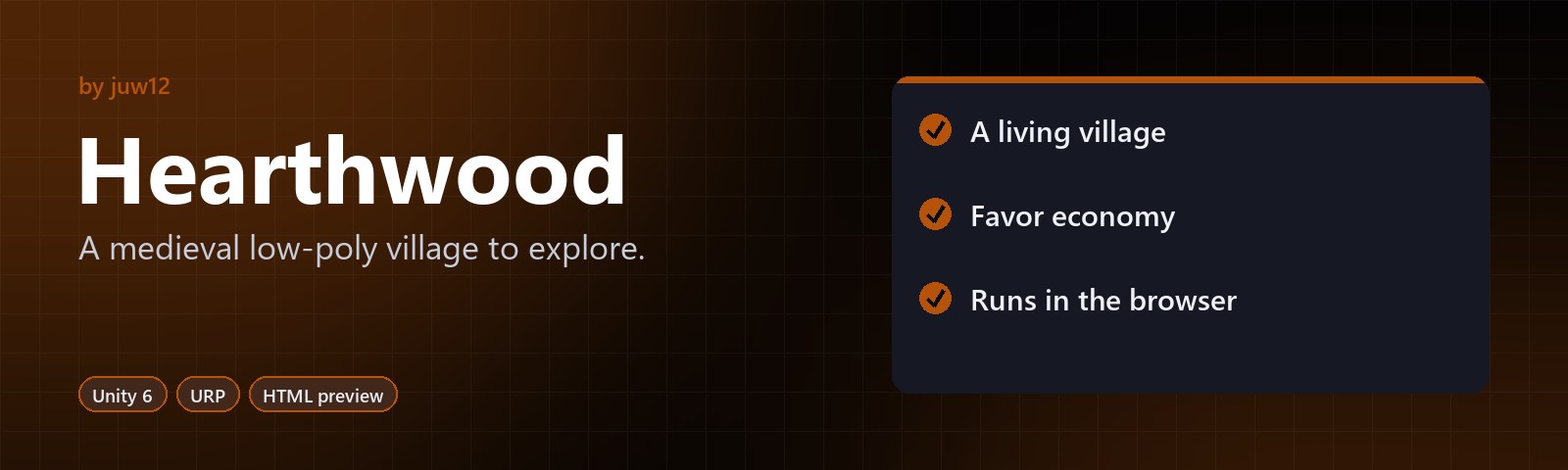
A medieval low-poly village to explore.
A third-person action-adventure prototype with dialogue, quests, inventory and NPC AI.


|
A living village NPCs with daily routines, dialogue and quests. |
Favor economy A favor-token economy and an inventory. |
Runs in the browser A self-contained HTML preview, built on Unity 6 + URP. |
About
A medieval low-poly village prototype built on Unity 6 + URP + Input System, shipping as cross-platform PC + WebGL with a self-contained HTML preview that runs without the engine.
Start here: open
preview.htmlby double-click. No engine install required. The full 3D prototype requires Unity 6 LTS — seeSETUP.md.
What This Is
A full prototype (not a vertical slice) of an action-adventure village game with:
- 3rd-person character controller with sprint, jump, dodge, attack
- Combat (sword) against NPCs/wolves
- Inventory (20 slots, stackable, shop-ready)
- Dialogue system (branches, quest-gated choices, {playerName} substitution)
- Quest system (prerequisite chains, multi-objective, rewards via Favor Tokens)
- Collectibles (herbs, wood, coins — with optional quest linking)
- NPC AI (idle / wander via NavMesh / talking state)
- Save / load (PlayerPrefs JSON, WebGL-safe via IndexedDB)
- Audio (SFX pool, music crossfade, ambient layers, footsteps tied to IsGrounded/IsSprinting)
The unique progression element is Favor Tokens — earned by completing villager quests and dialogue branches, spent at the shop for discounts or to unlock new quest lines.
Controls
| Action | Key (PC/WebGL) |
|---|---|
| Move | W A S D / Arrow keys |
| Look (camera) | Mouse |
| Jump | Space |
| Sprint | Left Shift |
| Interact (talk / collect / fight) | E |
| Attack (sword swing) | Left Mouse |
| Dodge | Left Ctrl |
| Inventory | I |
| Quest log | Tab |
| Pause | Esc |
| Dialogue advance | Space / E |
| Dialogue choice 1–4 | 1 2 3 4 |
Action maps switch automatically: Player → UI when modals open, Player → Dialogue when
talking to an NPC. Driven by InputManager listening to GameManager.OnStateChanged.
Repository Layout
Games/Hearthwood/
├── preview.html              ← opens in any browser, no engine needed
├── README.md                 ← this file
├── SETUP.md                  ← engine editor walkthrough
├── ARCHITECTURE.md           ← binding contract (read before modifying code)
├── ASSETS.md                 ← asset pack list + licensing notes
├── Packages/
│   └── manifest.json         ← Unity package manifest (URP, Input System, Cinemachine, etc.)
└── Assets/
    ├── Scripts/
    │   ├── Core/             ← Hearthwood.Core — interfaces, singletons, ScriptableObject schemas
    │   ├── Input/            ← Hearthwood.Input — InputManager
    │   ├── Audio/            ← Hearthwood.Audio — AudioManager, AmbientAudioManager, FootstepPlayer, InteractionAudio
    │   ├── Scene/            ← Hearthwood.Scene — SceneController
    │   ├── Player/           ← Hearthwood.Player — PlayerController3D, CombatController, HealthComponent, InventoryComponent, PlayerCamera, PlayerPersistence
    │   ├── Quest/            ← Hearthwood.Quest — QuestSystem, ItemDatabase, QuestGiver
    │   ├── Dialogue/         ← Hearthwood.Dialogue — DialogueRunner, DialogueTrigger
    │   ├── Collectible/      ← Hearthwood.Collectible — Collectible, CollectibleSpawner
    │   ├── NPC/              ← Hearthwood.NPC — NPCController, NPCSpawner
    │   ├── UI/               ← Hearthwood.UI — HUDController, DialogueUI, QuestLogUI, PauseMenuUI, InventoryUI, UIInputBinder, InteractPromptUI
    │   └── Editor/           ← Hearthwood.EditorTools — custom inspectors + sample content bootstrap (Editor-only)
    ├── ScriptableObjects/    ← generated SO assets (run "Hearthwood/Generate Sample Content")
    ├── Scenes/               ← your Village scene goes here
    ├── Settings/             ← HearthwoodInputActions.inputactions
    └── Resources/            ← fonts, audio banks, runtime-loaded assets
Each subsystem has its own .asmdef (assembly definition) so compile errors surface
clearly and dependencies stay one-directional.
Quick Start (engine)
- Open Unity 6 LTS, point it at
Games/Hearthwood/. - Wait for package import (
Packages/manifest.json). - Menu: Hearthwood ▸ Generate Sample Content — creates the medieval-village dataset (items, collectibles, NPCs, quests, dialogues, scene data).
- Follow
SETUP.mdto wire a scene, drop in a player + 2 NPCs + 5 herbs, and press Play.
Quick Start (preview only)
- Double-click
preview.html. - Click Begin Adventure.
- WASD to move, E to interact.
The HTML preview demonstrates ALL gameplay systems without Unity: dialogue trees, quest
progression, inventory, save/load, combat (via wolves), favor rewards, full quest flow
ending in Iron Sword reward. State persists to localStorage across reloads.
Honest Limitations
- Cannot compile here. This sandbox has no Unity Editor, so the C# files were authored
to match Unity 6 / URP / Input System conventions but have not been compiled in-engine.
See
SETUP.mdfor the editor-side validation steps. - No real 3D / 2D assets shipped. Characters, buildings, audio clips must come from
the packs listed in
ASSETS.md. Primitive cube placeholders are generated at runtime byCollectibleSpawnerandNPCSpawnerso the prototype runs even with zero imported assets. - No baked lighting / NavMesh / shader graphs. Lighting, navigation, and shaders are
authored in-editor — see
SETUP.md. - QuestSystem does not expose per-objective current count publicly. The HUD and
QuestLog UI track objective progress locally via events (
OnItemCollected/OnObjectiveCompleted) and show that mirror. The source of truth is stillQuestSystem._objectiveProgress; the UI mirror can lag by one frame but converges immediately after each event. A future revision could addQuestSystem.GetObjectiveProgress(questId, objectiveId)if exact server-authoritative reads become necessary.
What’s Where (quick reference)
| Need to change… | Look at… |
|---|---|
| A quest’s objectives | QuestData SO asset → custom inspector under Hearthwood/Quests |
| An NPC’s dialogue | DialogueData SO asset → Hearthwood/Dialogues custom inspector |
| Movement speed / jump height | PlayerController3D.cs → serialized fields |
| Sword damage / range | CombatController.cs → Damage, Range, AttackDurationSeconds |
| Inventory capacity | InventoryComponent.cs → Capacity |
| Key bindings | Assets/Settings/HearthwoodInputActions.inputactions |
| Add a new event flow | ARCHITECTURE.md §4 (public API contract) and §8 (event flow) |
Sample Quest Flow (the demo scenario)
- Begin Adventure → quest “Gather Wild Herbs” auto-starts (5× Herb from south-east patch).
- Walk to the herb patch, press
Eon each herb → objective counter ticks up. - At 5/5, “Quest Complete! +5 Favor Tokens” → quest “Deliver a Message” auto-starts (talk to Mara the Innkeeper).
- Walk to Mara, press
E→ dialogue opens → pick “I’ll deliver it” → quest completes → +3 Favor Tokens → quest “The Bandit Problem” auto-starts (defeat 3 wolves). - Each wolf without the Iron Sword deals -15 HP; with it, no damage. HP system is reactive
via
HealthComponent.OnChanged. - At 3/3, the Iron Sword is added to your inventory. Rest at the tavern.
Next Steps Beyond This Prototype
- Bake NavMesh into the village
- Author a Cinemachine 3rd-person camera rig (replace
PlayerCamera) - Add shop UI that spends Favor Tokens
- Hook
GrantItemdelegate inQuestSystemto actually push rewards into inventory - Author real ambient/SFX banks (current
InteractionAudioclips are placeholder AudioClip null-references — inspector-assign when you have assets)
See ASSETS.md for the asset pipeline and SETUP.md for the
editor-side setup.
License
Released under the MIT License © 2026 Juwen Lie. Contributions are welcome under the same license; see the contributing guide and Code of Conduct.