Your AI skills, one mouse click away.
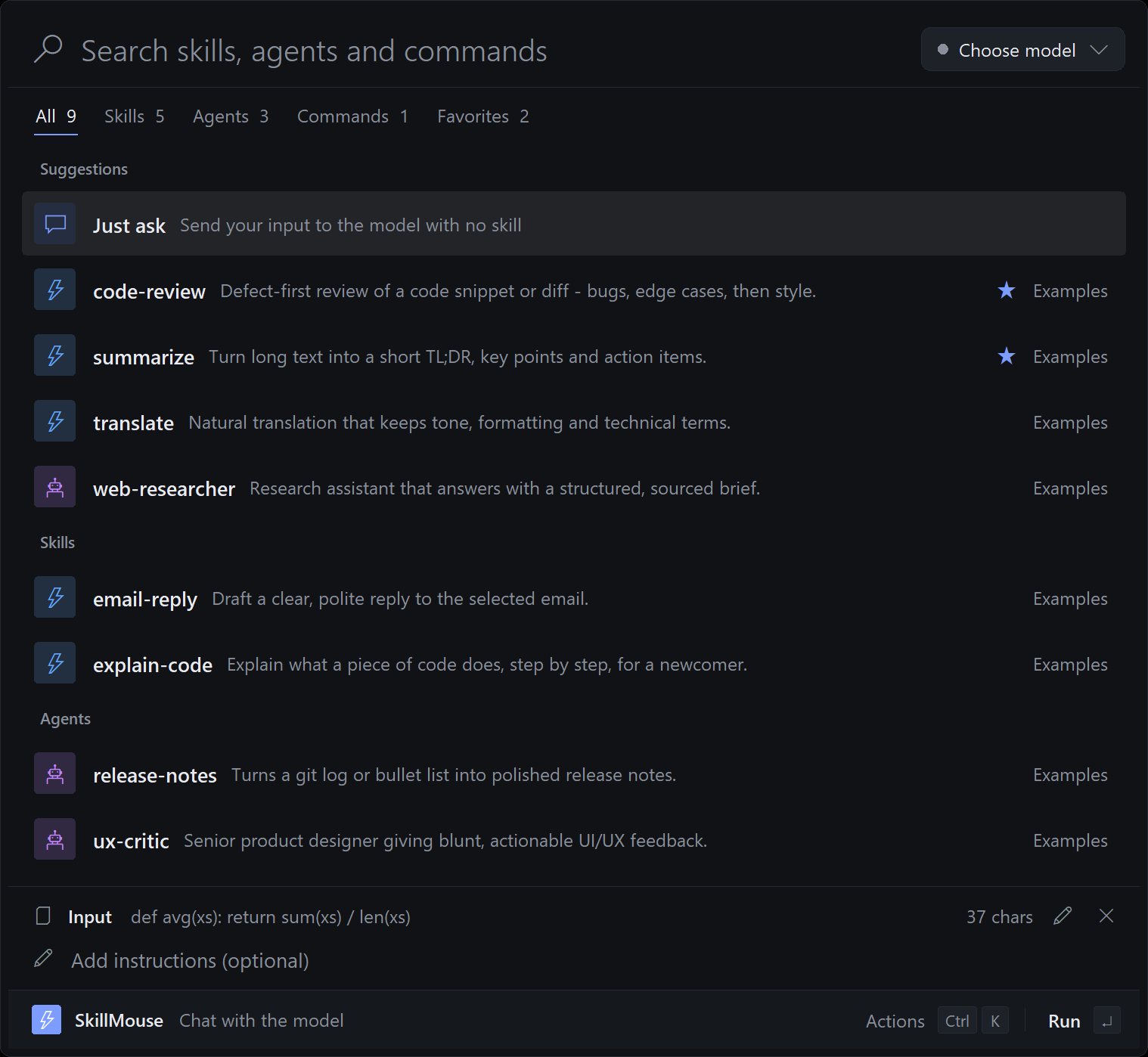
Use your Claude Code, Codex and OpenCode skills and agents with any model, straight from the mouse.
What's inside
SkillMouse in three ideas.
01
Select, click, done
Select text anywhere and press the side button, Ctrl+Shift+Space or Ctrl+drag for a radial menu.
02
Any model
Run a skill or agent with a local Ollama model or any OpenAI-compatible endpoint.
03
Finds your skills
Picks up SKILL.md files, agents and commands from Claude, Codex, OpenCode and Gemini folders automatically.
Get it
Pick how you want to start.
Questions
Good questions.
Is it free?
Yes. The source is public on GitHub under the MIT licence.
What does it run on?
Windows.
Where do I start?
Open the README for setup and details, or use the buttons at the top of this page.
Is it finished?
Not yet. It's actively being built, so expect changes. The README has the current state.
Who made it?
Juwen Lie, an R&D mechanical engineer in Batam, Indonesia, as an independent personal project.