No SD card needed
Sony cameras like the a6400 send photos to your phone with Imaging Edge Mobile or Creators' App. Pick them from the gallery; Jepret reads the shooting time from each photo, so scenes still group correctly.
Free app that culls blurry and duplicate shots, writes keywords and makes Adobe Stock + Shutterstock upload files. Works with photos sent to your phone or straight off the SD card. Photos never leave your device.
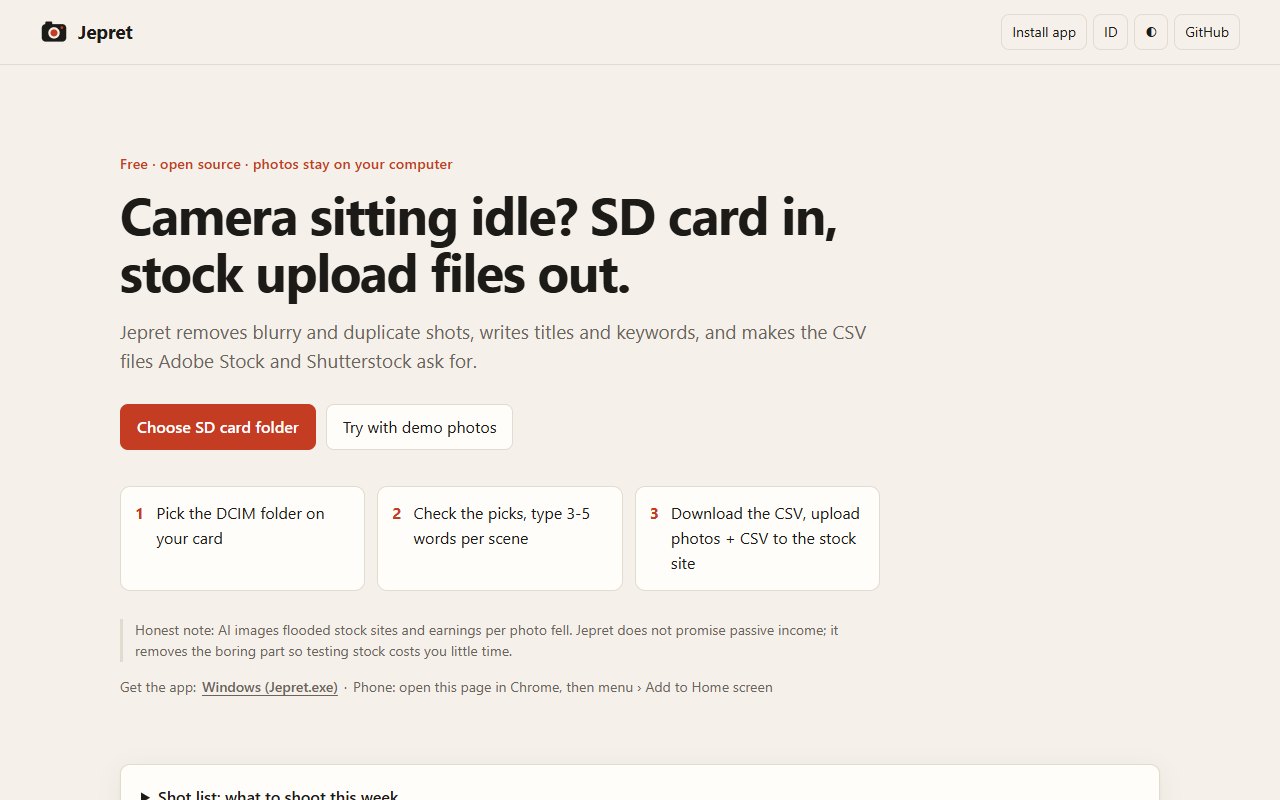
Jepret is for people with a mirrorless or DSLR camera, a full-time job and little time.
Pick the photos your camera sent to your phone, or the SD card folder.
Windows: download Jepret.exe and double-click it.
The ones your camera sent to your phone, or the DCIM folder on your SD card.
Describe each scene in 3-5 words, check the titles and keywords, then export the Adobe Stock and Shutterstock CSV files.
Sony cameras like the a6400 send photos to your phone with Imaging Edge Mobile or Creators' App. Pick them from the gallery; Jepret reads the shooting time from each photo, so scenes still group correctly.
Removes blurry shots and near-duplicate burst frames, and flags photos under 4 MP (Adobe Stock's minimum).
Photos shot close together in time are grouped, so you describe each scene once in 3-5 words.
Your words are expanded with a stock keyword dictionary, location packs (Batam, Bali, Jakarta, ...) and facts from the image: orientation, colours, empty space for text.
Each photo gets a title under 70 characters and up to 49 keywords, all editable.
Exports adobe_stock.csv and shutterstock.csv in each site's CSV upload format, plus an optional copy of the keepers into a folder (Chrome/Edge).
Click any photo to keep or reject it. The automatic checks only make the first pass.
Download Jepret.exe and double-click it.
Open the web app in Chrome, then menu, Add to Home screen.
Open the web app in Chrome or Edge and click Install app in the top bar, or just use the page.
From the README’s “Run it yourself” section. Full options, requirements and troubleshooting are there too.
Open the README$ python -m http.server 8000 # then open http://localhost:8000
# tests: http://localhost:8000/test.htmlStraight from the README, so you know what you're getting before you try it.
32 files in the repo · last updated 10 Nov 2026.
Browse the codeInstallable app (offline PWA) + Windows Jepret.exe (Tauri) built by GitHub Actions
SD card to stock upload files, free and offline
Web app, Windows, Android (home screen). You can try it in the browser with nothing to install.
The commands in the “Run it yourself” box above come straight from the README. Paste them into a terminal; the README covers options and troubleshooting.
Everything runs in the browser tab or the app window: photo analysis uses the canvas API on your device.
Imaging Edge Mobile and Creators' App send 2M copies by default (about 2 MP), below Adobe Stock's 4 MP minimum. Jepret does not promise passive income.
Not yet: it's marked “live” and still changing. The README always has the current state.
The source is public on GitHub under the MIT licence.
Juwen Lie, an R&D mechanical engineer in Batam, Indonesia, as an independent personal project.
Camera sitting idle? Photos in, stock upload files out.