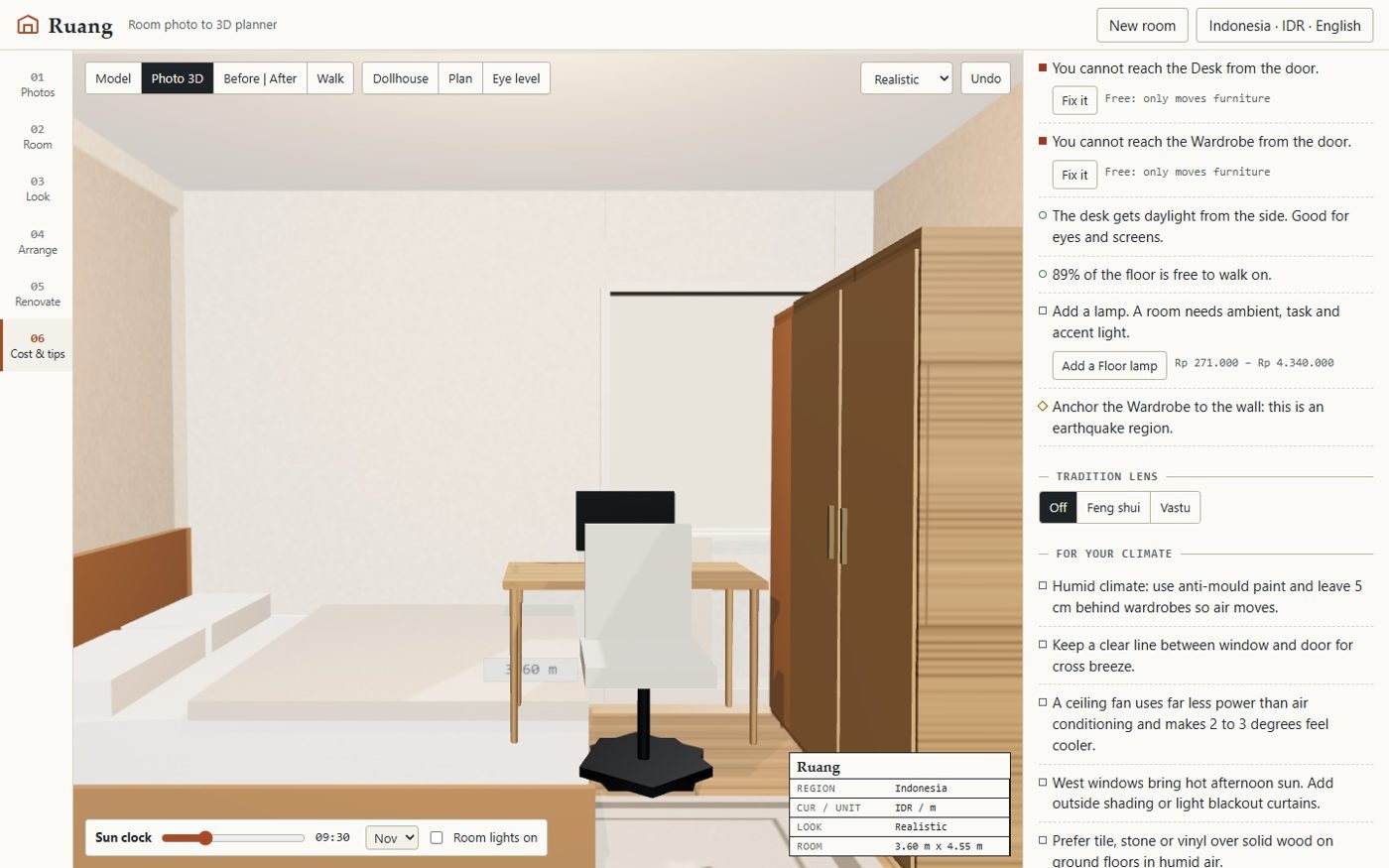
Region + language first
24 regions, 7 UI languages (English, Bahasa Indonesia, 繁體中文, 简体中文, 日本語, 한국어, Español).
One photo per wall becomes a 3D room you can restyle, rearrange, renovate and price in your own currency.
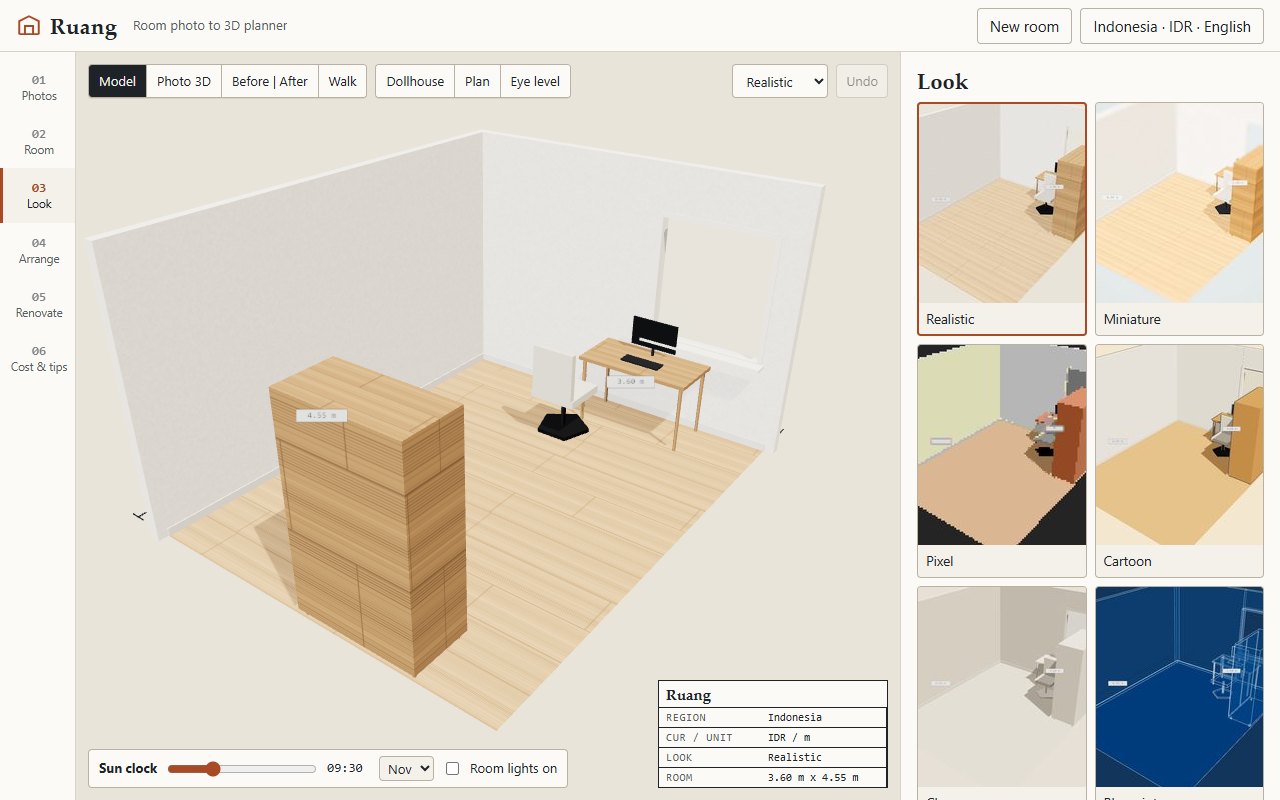
24 regions, 7 UI languages (English, Bahasa Indonesia, 繁體中文, 简体中文, 日本語, 한국어, Español).
Drag four corners onto the back wall (or keep the auto guess), enter the ceiling height, tap furniture and windows/doors.
Seven render styles: realistic, miniature (tilt-shift), pixel, cartoon (toon + ink outline), clay, blueprint and sketch.
Drag, rotate, resize, duplicate, delete, undo/redo, 22 catalogue items.
24 regions, 7 UI languages (English, Bahasa Indonesia, 繁體中文, 简体中文, 日本語, 한국어, Español).
Line-item estimate (paint, floor, furniture, lighting, labour) as a low-high range in local currency, every price editable and labelled with its source.
NOAA solar position for your city and date, shadows cast through your real window openings, and hours of direct sun per piece of furniture (glare on the TV, fading on the sofa).
grid flood-fill from the door shows reachable floor and the narrowest bottleneck in centimetres.
simulated annealing over a layout score (clearances, light, door swing, focal walls).
a knapsack budget optimiser picks the upgrades with the biggest visual impact that fit your budget.
renovation plans that use only removable changes (rugs, lamps, peel-and-stick, plants, furniture) for tenants.
checks a new item's smallest cross-section against your door.
Straight from the README, so you know what you're getting before you try it.
80 files in the repo · 12 commits since Nov 2026 · last updated 10 Nov 2026.
Browse the codeDesktop smoke: drive the WebView2 page over raw CDP
Desktop smoke: report CDP targets when the app page is not found
Desktop: create window in code; RUANG_DEVTOOLS_PORT test hook for the smoke test
Installable app - Windows desktop exe (Tauri 2) + offline PWA for Android/iPhone
Tests: share-link round trip; ignore hone scratch
Web. You can try it in the browser with nothing to install.
Region + language first: 24 regions, 7 UI languages (English, Bahasa Indonesia, 繁體中文, 简体中文, 日本語, 한국어, Español). Currency, units, climate tips and the sun clock follow the region.
Room depth is not visible in a single back-wall photo; Ruang assumes the camera stood 0.4 m inside the front wall and lets you edit it. Reconstruction assumes a rectangular room and a level phone; strongly tilted photos give worse sizes.
Not yet: it's marked “live” and still changing. The README always has the current state.
The source is public on GitHub under the MIT licence.
Juwen Lie, an R&D mechanical engineer in Batam, Indonesia, as an independent personal project.
Photograph your room. Plan it like an architect.