Four platforms, one window
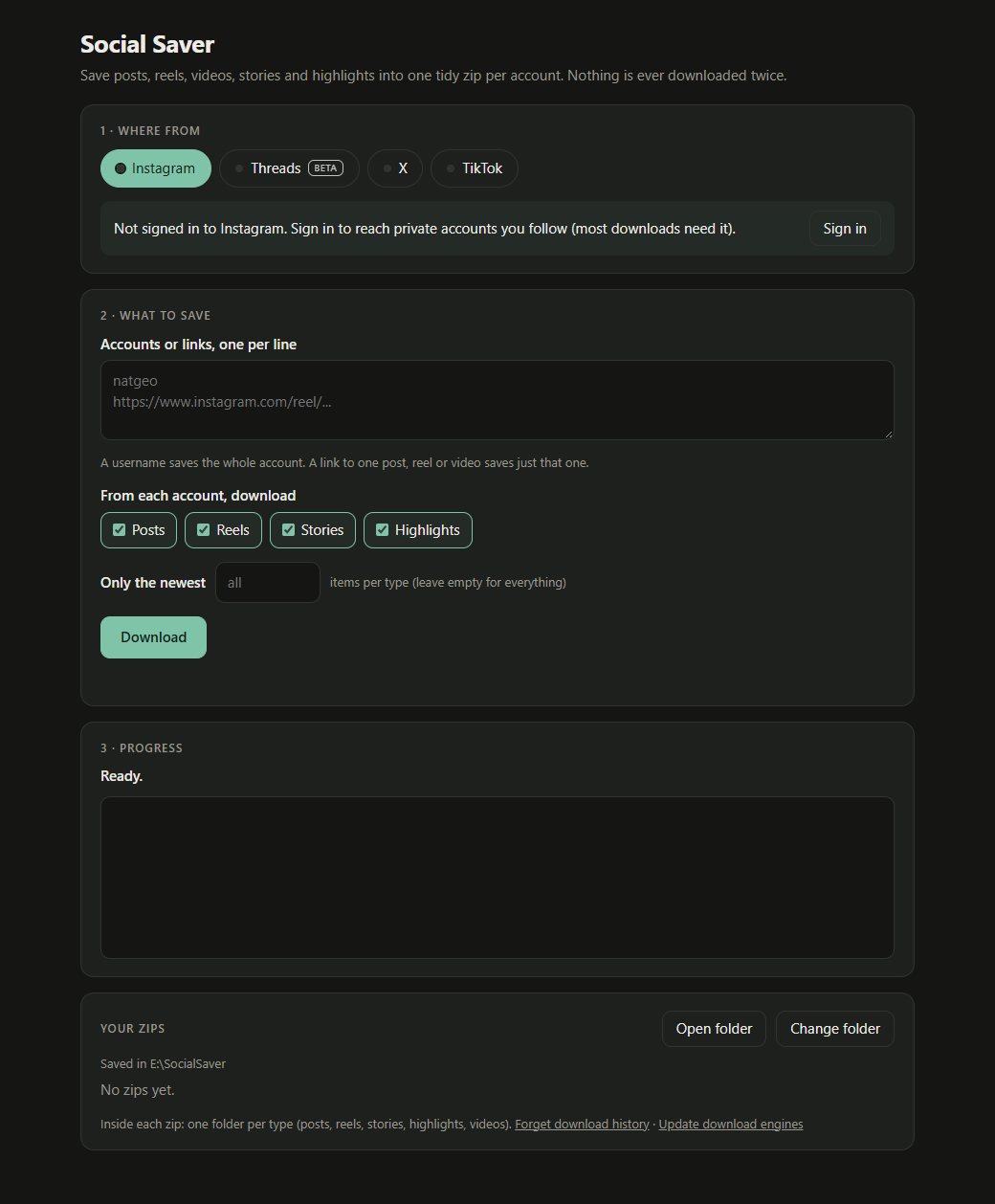
Tabs for Instagram, Threads (beta), X and TikTok. Several accounts at once, one per line.
Instagram, Threads, X and TikTok on Windows, as an Android app, or as your own web app on iPhone. Pick the types, get one zip per account sorted into folders, and never the same file twice.
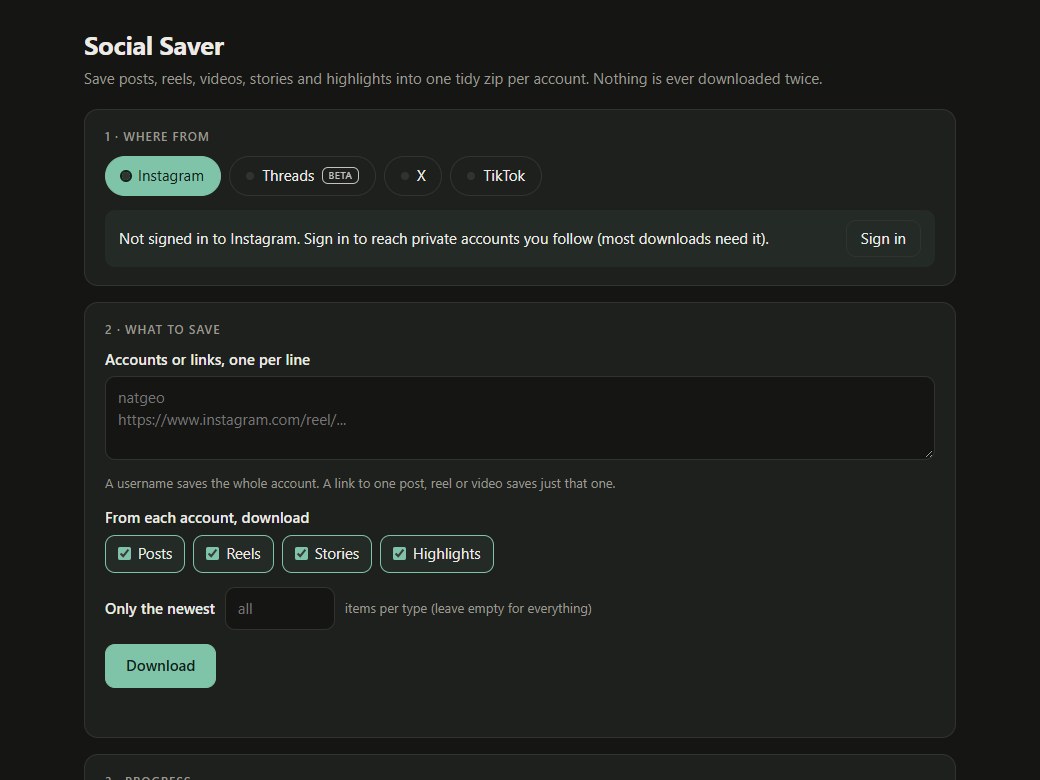
Social Saver is one small app for saving posts, reels, videos, stories and highlights from Instagram, Threads, X and TikTok.
Everything for one account lands in one zip, sorted into folders such as posts, reels, stories, highlights and videos.
Press Download for Windows, unzip SocialSaver-windows.zip and double-click Start Social Saver.bat.
Press Sign in on a tab for private accounts you follow, stories and most of X.
Type usernames or paste links, tick the types, and set Only the newest if you want a few.
Press Download, watch the log, then open the folder.
Tabs for Instagram, Threads (beta), X and TikTok. Several accounts at once, one per line.
Scan a QR code on the PC and the same screen opens on an Android phone or iPhone on the same Wi-Fi. Add it to the home screen and tap a zip to keep a copy on the phone.
With Termux, one setup line installs it on the phone. Share any post or profile to Termux and it is saved to the phone's Download folder, no PC needed.
Tick posts, reels, stories, highlights or videos per platform, and optionally keep only the newest few of each.
Paste a link to a single post and it saves just that one, or press Choose items to see thumbnails and keep only the photos you tick.
Each account gets its own zip with a folder per type, and highlights split by their title.
A download history plus a check of what is already in the zip, so a second run only adds new items.
The platform's own login page opens in a window, or import a cookies file from your own browser. Only session cookies are kept, and Sign out deletes them.
Built on gallery-dl and yt-dlp. One button updates them when a platform changes its site.
From the README’s “For developers” section. Full options, requirements and troubleshooting are there too.
Open the README$ python -m pytest -q # no network needed; CI runs them on Windows + Linux
$ python app.py # run with a consoleStraight from the README, so you know what you're getting before you try it.
17 files in the repo · last updated 13 Nov 2026.
Browse the codeWindows, Android, iPhone. You can grab a build from the downloads page.
The commands in the “For developers” box above come straight from the README. Paste them into a terminal; the README covers options and troubleshooting.
You type your password on the platform's own page; the app never sees it. Only the session cookie is stored, on this PC, and Sign out deletes it.
Only the zip. Start Social Saver.bat installs Python with winget if the PC does not have it, then the download engines.
No. It remembers every saved item and also checks the zip, so a rerun only adds new items.
No. You sign in on the platform's own page; the app keeps only the session cookie on your PC.
Real signed-in downloads have not been confirmed on every platform yet. iPhone works through the PC (same Wi-Fi); Apple does not allow it to run on the iPhone by itself.
Yes. The source is public on GitHub under the MIT licence.
Save every post, reel and story into one tidy zip.